

How to Fully Optimize Your Google Business Profile (Step-by-Step) | Level Up
Let's be real for a second.
You've built something worth being proud of. You show up every day, you serve your customers well, and you know your business is better than half the competition out there. But when someone nearby searches for exactly what you offer, they're calling the other guy.
That stings. And nine times out of ten, it's not because they're better than you. It's because their Google Business Profile is doing the work yours isn't.
Here at Level Up Business, we help local small businesses get found first, rank higher, and convert clicks into real paying customers. And one of the most powerful, and most overlooked, tools in local marketing isn't some expensive ad campaign. It's your free Google Business Profile (GBP).
A fully optimized GBP is the closest thing there is to a "cheat code" for local SEO. When done right, it tells Google exactly who you are, what you do, and why you deserve to show up at the top of the map.
Here's the exact step-by-step process we use to get it done.
Step 1: Claim and Verify Your Profile (Don't Skip This)
Before anything else, you need to actually own your profile. Go to Google Business Profile Manager (business.google.com) and search for your business name. If a listing already exists, claim it. If not, create one from scratch.
Google will walk you through a verification process, usually via postcard, phone call, or email. This can take a few days, but it's non-negotiable. An unverified profile has almost zero visibility on Google Maps or in the Local Pack.
The Pro Tip: If your business already has a listing you didn't create, don't panic. Duplicate listings happen all the time. Claim it, verify it, and then contact Google Support to remove any duplicates.
Step 2: Fill Out Every Single Field, No Exceptions
Google rewards completeness. Think of your GBP like a job application: a half-filled-out form goes straight to the bottom of the pile.
Here's what you need to complete:
Business Name — Use your real, legal business name. No keyword stuffing (Google will penalize you for "Joe's Plumbing — Best Plumber in Phoenix").
Category — Choose your primary category carefully. This is one of the biggest ranking factors in local search. Then add secondary categories to cover additional services.
Address / Service Area — If you serve customers at a location, add your address. If you go to them (like a contractor or mobile service), set a service area instead.
Phone Number — Use a local number, not a 1-800 line.
Website URL — Link directly to your website homepage or a relevant landing page.
Hours of Operation — Keep these updated, including holiday hours.
Business Description — You get 750 characters. Use them wisely. Write naturally, include your main services and city, and focus on what makes you different.
Not sure how your profile stacks up against local competitors?
Book a Free Strategy Meeting with Level Up Business and we'll audit it for you.
Step 3: Choose the Right Categories, This One Is a Game-Changer
Most business owners pick one category and call it a day. That's leaving serious ranking power on the table.
Your primary category tells Google what your business fundamentally is. Your secondary categories tell it everything else you do. For example:
A dentist might list "Dentist" as primary, then add "Cosmetic Dentist," "Teeth Whitening Service," and "Emergency Dental Service."
A restaurant might list "American Restaurant" as primary, then add "Catering Food and Drink Supplier" and "Takeout Restaurant."
The more relevant your categories, the more search queries you become eligible to rank for. Do your research, look at what your top local competitors are using and make sure you aren't leaving any relevant categories off your list.
Step 4: Upload High-Quality Photos (And Keep Adding Them)
Google has shared data showing that businesses with photos receive significantly more direction requests and website clicks than those without. That alone should be enough motivation.
Here's what to upload:
Logo — For brand recognition in search results.
Cover Photo — The first impression of your profile.
Interior Photos — Show the inside of your store, office, or workspace.
Exterior Photos — Help people recognize your location when they arrive.
Team Photos — Build trust and show the humans behind the business.
Product / Service Photos — Let people see exactly what they're getting.
The Pro Tip: Don't just upload 10 photos once and never touch it again. Google's algorithm loves freshness. Add new photos every month. It signals to Google that your business is active, relevant, and worth ranking higher.
Step 5: Collect Reviews Like Your Business Depends on It (Because It Does)
Reviews are the single most powerful trust signal on your Google Business Profile. They influence your local ranking AND your conversion rate, meaning they affect both whether people find you and whether they choose you.
Here's the truth most business owners don't want to hear: you have to actively ask for reviews. They don't just show up on their own. Your happiest customers are busy. They need a nudge.
The Review-Getting System:
Ask within 24 hours of a positive experience, while the feeling is fresh.
Send a direct link to your GBP review page (grab it from your profile dashboard).
Make it ridiculously easy. Fewer clicks = more reviews.
Respond to every single review, good AND bad. Professionally, always.
Responding to reviews shows Google you're an engaged business owner. It also shows potential customers that you actually care about the people you serve.
Don't leave your online reputation to chance. Our Online Reputation Management service at Level Up Business automates the review-collection process so you can build a 5-star profile without lifting a finger.
Step 6: Use Google Posts to Stay Active and Visible
Most local businesses have never used Google Posts. That's your opportunity.
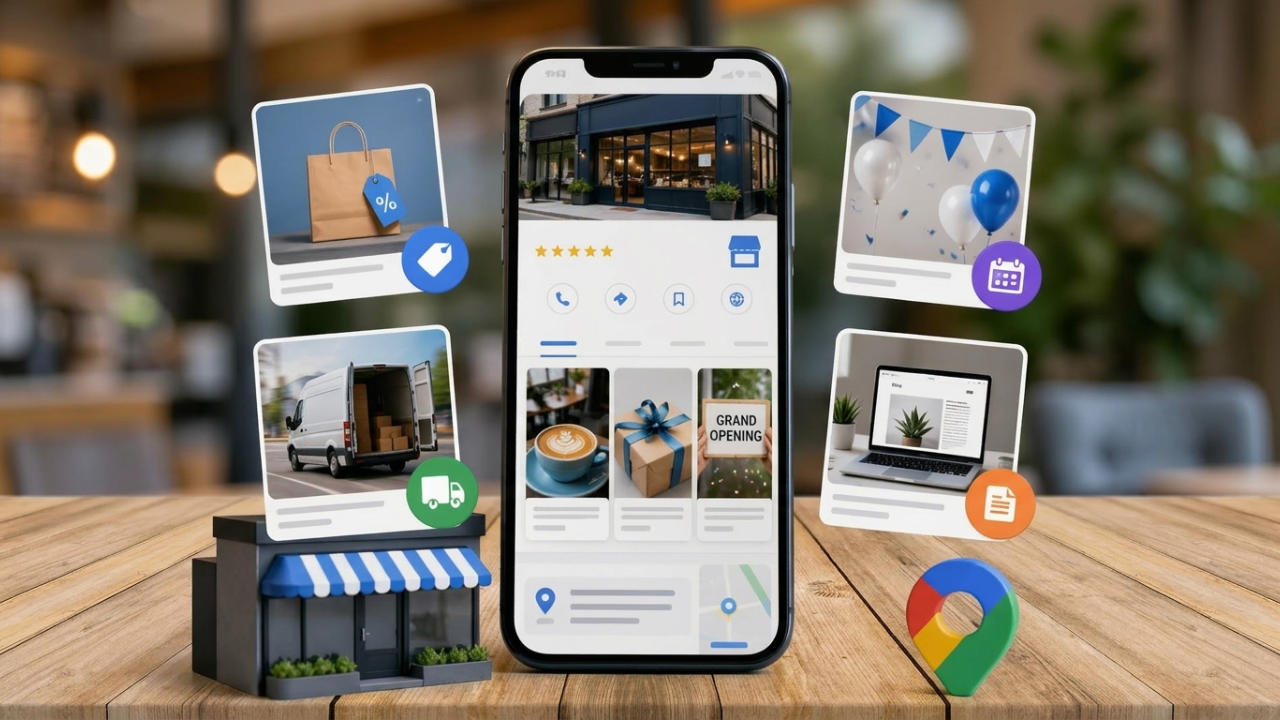
Google Posts are mini-updates that appear directly on your GBP — visible to anyone who finds your business on Google. They're free, they don't require a graphic designer, and they are one of the fastest ways to signal to Google that your business is active.
Use Google Posts for:
Promotions and offers — "20% off this week only."
New products or services — "We just launched same-day delivery."
Events — "Join us for our grand opening this Saturday."
Blog content — Link to your latest article to drive website traffic.
General updates — New hours, staffing changes, holiday closures.
Aim to post at least once a week. It takes less than five minutes and the compounding effect on your local ranking over 90 days is very real.
Step 7: Build Out Your Q&A Section Before Someone Else Does
Here's something most business owners don't realize: anyone on Google can add a question to your Q&A section. And if you don't answer it, a random member of the public will.
Take control of this section by seeding it yourself. Log in, think about the questions your customers ask most often, and add them — along with your own answers. This pre-emptively handles objections, builds trust, and also gives Google more indexed content tied to your profile.
Common questions to add:
"Do you offer free consultations?"
"Are you accepting new clients?"
"Do you serve [specific city or neighborhood]?"
"What payment methods do you accept?"
"What are your current hours?"
The "Minimum Effective Dose" for GBP Maintenance
Getting your profile set up is only half the battle. The businesses that dominate local search aren't the ones who optimized once and disappeared — they're the ones who show up consistently.
Think of your GBP like a living, breathing extension of your business. Google is watching signals like:
How recently photos were added
Whether you respond to reviews
How often you post updates
Whether your hours and info are accurate
By maintaining your profile, you are:
Preventing Ranking Drops: An inactive profile loses ground to competitors who are staying active.
Building Trust with New Customers: A profile with fresh photos, recent reviews, and active posts looks like a business worth calling.
Sending Signals to Google: Every update tells the algorithm your business is legitimate, engaged, and relevant to local searchers.
At Level Up Business, we call this being "Local Search Ready" — and it's exactly what our Local Google SEO Game Plan is built to deliver, month after month.
Frequently Asked Questions
Is a Google Business Profile really free?
Yes, completely free to create and manage. The investment is your time or ours, if you want someone to handle it for you.
How long does it take to rank higher on Google Maps?
It varies, but businesses that complete all profile fields, collect reviews consistently, and post regularly typically see meaningful improvements within 60–90 days. There are no guaranteed overnight results but consistency pays off.
What's the difference between Google Business Profile and Google My Business?
They're the same product. Google rebranded "Google My Business" to "Google Business Profile" in 2022. You manage it directly from Google Search or Maps now, rather than a separate app.
Do I need a website to optimize my GBP?
Technically no, but yes you absolutely should have one. Your GBP and your website work together. Google uses your website to validate and reinforce your GBP information, and a strong local SEO website dramatically amplifies your ranking potential.
What if I have multiple locations?
Each location needs its own separate Google Business Profile. The same optimization rules apply to each one.
Your Competitors Are Ranking. Here's How You Take That Spot Back.
There's no such thing as a "perfect" time to optimize your Google Business Profile. There will always be another busy week, another fire to put out, another reason to push it to next month.
The businesses winning in local search right now didn't wait for the perfect moment. They took action, put in the reps, and let consistency do the compounding.
Every photo you upload, every review you collect, and every post you publish is a deposit into your local visibility bank. When a customer in your area searches for what you offer, you want to be the first name they see, not the third or fourth, and definitely not invisible.
Ready to stop guessing and start showing up first?
Stop losing customers to competitors who rank higher.
Start Your Free Strategy Meeting with Level Up Business Today, and let's build a local SEO game plan that actually moves the needle.